How to Automate Chrome Firefox and Edge Extension Releases
Build one browser extension release pipeline with reproducible archives, store-specific APIs, safe credentials, bounded retries, and independent publication verification.
Table of Contents11 sections
A single browser extension codebase can target Chrome, Firefox, and Microsoft Edge, but there is no single store submission that publishes it everywhere. The reliable approach is to build one shared project, generate browser-specific archives, and give each store its own authenticated release adapter. Track review and public availability separately rather than declaring success when an upload returns HTTP 200.
This distinction matters when an extension becomes a maintained product. A team can automate ZIP creation and still lose days to an incorrect manifest, expired credentials, or a version accepted by one store and rejected by another. The solution is an auditable release contract with reproducible artifacts, explicit state transitions, and evidence for every destination.
Why One Codebase Still Needs Three Release Pipelines
Chrome, Firefox, and Edge share enough of the WebExtensions model that maintaining a common source tree is practical. That compatibility is a development advantage, not a shared distribution agreement. Every store has a different developer account, review queue, credential system, and public listing. A ZIP accepted by one store does not automatically become an approved update anywhere else.
Start with shared application modules and isolate browser differences behind small adapters. Keep content scripts, options UI, and most business logic in the same source tree. Maintain explicit manifest transformations where browser APIs, background execution, or extension identifiers differ. Review those transformations rather than allowing build scripts to silently delete incompatible fields.
A release pipeline should produce a separate immutable package for each browser. Even if two archives contain identical files today, record their destinations independently. When a reviewer rejects one version, the release log must reveal which archive was submitted, which version it contained, and which source commit produced it.
The objective is not to eliminate every manual step. It is to automate repeatable work without confusing package creation, remote submission, approval, and actual availability. Those are four different milestones.
Create a Store Capability Matrix Before Automating
Document each destination before writing a workflow. The Chrome Web Store API supports automated item management and publishing. Mozilla provides web-ext and its add-on submission services for packaging and signing. Microsoft Edge provides an update REST API for products already registered through Partner Center. The Edge update API does not create an initial listing, so a promise of unattended first-time publication across all three stores would be inaccurate.
Record the manifest variant, package format, extension identifier, required secrets, submission endpoint, review status mechanism, and initial listing requirements for each platform. Keep this matrix alongside release scripts in the repository. A platform change should trigger a targeted adapter update, not an emergency rewrite of the entire pipeline.
Choose how independent releases may be. In practice, review times differ, so one global published flag is insufficient. A release can be approved on Firefox while Chrome remains under review. Represent the state per store and keep the overall release open until the required destinations have reached the desired state.
Keep identifiers in reviewed configuration and secrets in protected CI environments. Do not make a developer’s laptop the only place where product IDs or submission settings exist.
Build Deterministic Browser Specific Archives
Pin the Node.js toolchain, commit the dependency lockfile, and use a clean installation for release builds. Generate browser-specific manifests from reviewed configuration rather than editing a production manifest manually before each upload. Make the build inputs explicit: source commit, target browser, extension version, and supported build flags.
Inspect archive contents before publication. The ZIP should contain runtime files required by the extension, not local credentials, tests, private notes, or arbitrary files from a developer workstation. Review host permissions and content script match patterns because permission changes can affect user trust and store review.
Calculate SHA-256 for every finished archive and save the digest with its source commit and destination. The digest identifies exactly what CI submitted. Rebuilding the same commit later is useful for investigation, but it is not proof that the rebuilt file matches the original upload unless the hashes agree.
Retain original release artifacts for a reasonable period. If a store rejects an update, the team needs the submitted package, its manifest, and the relevant operation response. Without those records, debugging turns into guesswork and a retry can accidentally upload a different artifact under the same intended version.
Validate Behavior in Each Supported Browser
Shared TypeScript code and a successful Chromium build do not prove Firefox compatibility. Run unit tests for shared logic, then test installation, startup, content script behavior, background messaging, and settings persistence in each supported browser. A small repeatable smoke test catches problems that manifest validation cannot.
Use Mozilla’s web-ext lint command against the Firefox build. Run browser-specific checks on the actual packaged output, not a development folder with additional dependencies. If a browser feature is difficult to automate, document a short manual acceptance checklist and make it an explicit release prerequisite rather than silently skipping the check.
Compare manifests against the previous public release. Added host permissions, broader match patterns, new background behavior, or a change in externally loaded resources deserve attention even when tests pass. Treat the permission surface as part of the product’s public contract.
Pull requests from forks should run safe validation without publishing credentials. Reserve actual store submissions for trusted branches, signed tags, or protected release environments. This prevents a passing test workflow from becoming an accidental deployment path and limits exposure if untrusted code is submitted for review.
Automate Chrome Web Store Uploads Carefully
Use current Chrome Web Store API documentation when implementing the adapter. Older examples may target deprecated API versions, so verify supported authentication and upload endpoints rather than copying an old workflow unchanged. Complete the developer dashboard’s initial listing and privacy requirements before relying on API publication.
For each release, increment the extension version, build the Chrome archive, calculate its hash, and upload that exact file. Save the response and remote item identifier. An upload response does not prove that a reviewer approved the extension. Treat submission and final public availability as separate checks.
Use a service account when the current account configuration and API support it, or another supported credential arrangement. Store secrets only in the protected publishing environment. If authentication fails, stop and request credential repair; repeatedly sending the same invalid token is not a useful retry strategy.
Keep rollout decisions separate from compilation. A staged Chrome rollout, manual review requirement, or store listing change should not force a rebuild of unrelated browser packages. The Chrome adapter owns Chrome-specific publishing behavior and returns normalized status information to the shared release coordinator.
Sign and Submit Firefox With web-ext
Firefox’s web-ext tooling makes packaging and signing explicit. Run lint on the Firefox output, then build the archive. For Manifest V3, configure a stable Gecko extension ID before submission. That identifier ties future versions to the intended listing and should not be regenerated by the release workflow.
Use the documented sign command with the intended channel. A listed submission is designed for publication through Mozilla’s add-on service, while an unlisted signed package supports self-distribution. Those outcomes are not interchangeable. Include the chosen channel in the release manifest and final report.
Keep the Mozilla API issuer and secret in the CI secret manager, and avoid printing them in logs. Pin the web-ext version and check metadata requirements for initial listings. The metadata needed for a first listed submission may differ from the data needed for a later update.
When a signing request times out, preserve the archive and investigate the remote state before retrying. A timeout can leave uncertainty about whether the service accepted the upload. Treat unknown as a real state, not as proof of failure or permission to generate another version immediately.
Update Existing Edge Listings Through Its API
Microsoft Edge supports Chromium extensions, but its store remains a separate destination. Its documented update REST API can automate uploading and publishing a new version for an existing product. Initial product creation and some listing metadata operations still belong in Partner Center. Complete those steps before attempting a fully automated update workflow.
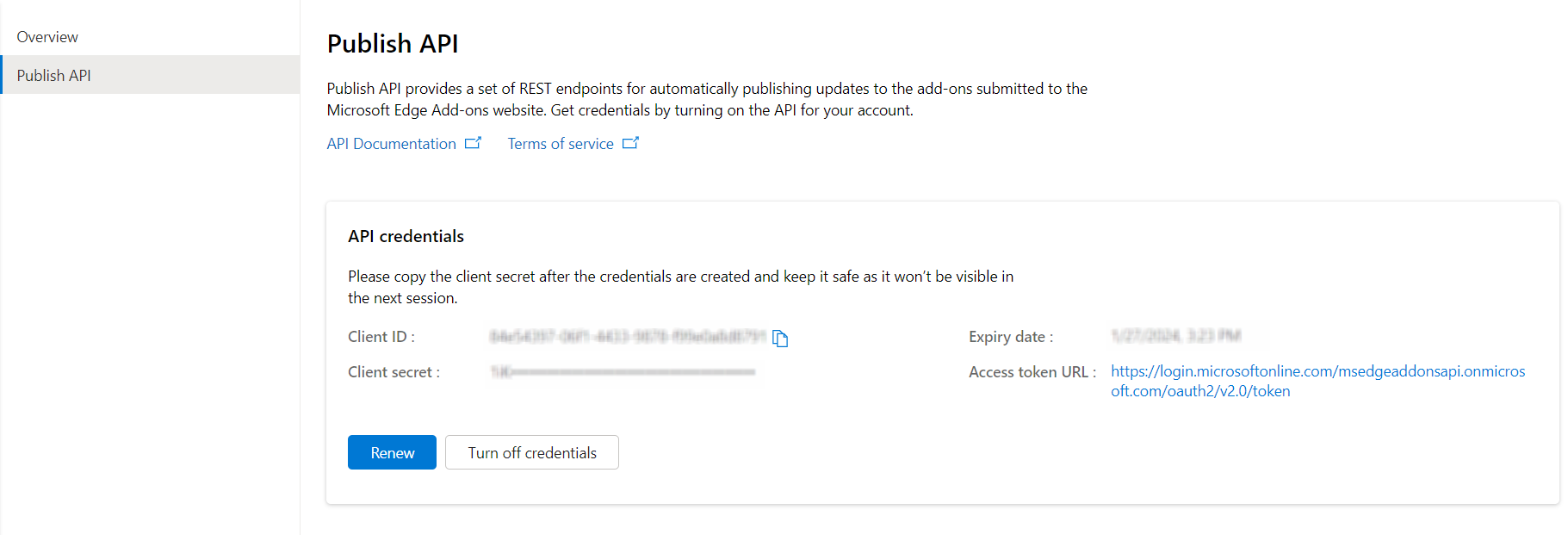
Enable the publishing API for the existing product, create supported credentials, and store the product ID in reviewed configuration. Upload the Edge archive and retain the operation identifier returned by the API. Poll the documented status endpoint with bounded delays rather than assuming that an accepted request means the upload is complete.
Once the package is processed, request publication of the draft submission and track that second operation separately. A successful submission request can still be awaiting review. The release report should distinguish upload acceptance, publication submission, and verified public availability.
If authentication fails, stop rather than retrying indefinitely. For transient service failures, retry the same artifact within a bounded policy and preserve its original digest. Isolating this logic in an Edge adapter keeps Microsoft-specific changes from affecting the Chrome and Firefox publication paths.
Coordinate GitHub Actions Without Duplicate Submissions
Separate validation, packaging, and publication jobs. Validation should run for pull requests without secrets. Packaging should run from a trusted release revision and produce immutable browser-specific archives. Publication jobs should consume those exact artifacts after the configured approval boundary, not rebuild the project with potentially different inputs.
Independent publication jobs make partial success visible. If Firefox rejects a manifest while Chrome has accepted its package, rerunning Firefox should not resubmit Chrome automatically. A shared coordinator can summarize results, but each adapter needs its own operation history and retry policy.
Create a release identifier from the source commit and extension version. For every store, record the package digest, remote operation identifier where available, submission timestamp, and last verified state. Store this evidence durably enough that a retry can distinguish a genuinely new attempt from an ambiguous earlier request.
Restrict workflow permissions and secret access. Validation normally needs repository read access only. Publishing jobs need only their respective store credentials and permission to save release evidence. Protected environments provide an approval point before the first external submission, not after one store has already received an update.
Recover From Rejections and Verify Public Availability
Treat publication as a state machine with at least not started, uploaded, submitted, under review, published, rejected, and unknown. Unknown matters because a network timeout after an upload does not establish whether the remote service received the package. Inspect the operation or dashboard before deciding to retry.
Classify failures. Invalid credentials and malformed manifests require intervention; temporary service errors may justify bounded retries. Do not increment versions simply to conceal a failed upload. Keep one canonical artifact per intended browser version until the platform explicitly requires a new submission.
Rollback is store-specific. Some platforms require publishing a higher version that restores previous behavior rather than accepting an older version number. Preserve the last known good source revision and use current store rules when preparing a corrective release. Reverting a Git tag alone does not remove a faulty extension from users’ browsers.
Finish with user-facing verification. Inspect each public listing and displayed version where possible, and test the installed package after approval. A green CI badge proves automation ran; it does not prove all three stores now distribute the intended version. The release report should say exactly which destinations are live and which remain pending.
Keep a Release Checklist That Survives Platform Changes
Before each submission, confirm that the release commit is approved, shared tests pass, browser-specific smoke tests pass, manifests contain intended permissions, versions are incremented, and each archive has a recorded SHA-256 digest. Confirm that the necessary initial store listings already exist and that each publishing credential belongs to the correct product.
Rehearse the pipeline with publication disabled. Produce all target archives, run the same validation jobs, inspect package contents, and generate a sample release manifest. This rehearsal catches missing artifacts and incorrect environment configuration without consuming a store submission or exposing users to an untested build.
Enable one destination at a time when bringing a new project online. A small successful Chrome release provides evidence about its adapter but says nothing about Firefox signing or Edge review. Repeat the verification independently for each store before treating the complete release process as reliable.
The durable design is a shared source tree with separate distribution adapters. One repository can power three browsers, but each store still controls its own account, submission, review, and publication state. Model those differences explicitly and automation becomes a trustworthy record of what actually shipped.
For related guidance, see schema-first gates for automated publishing and managing concurrent Git commits. Check the Chrome Web Store API, Mozilla web-ext documentation, and Microsoft Edge update API guide before implementing production credentials.
Continue Exploring
You Might Also Like

Android Paging 3 Failure Matrix
A comprehensive failure-first test matrix for Android Paging 3 screens, detailing refresh, append, offline recovery, empty results, and process death handling.

Audit macOS System Data Before Deleting Developer Caches
A comprehensive guide for developers on auditing macOS System Data and developer caches safely before deleting files.
Choosing GitHub Copilot CLI Models Without Wasting Credits
A practical way to choose Copilot CLI models by task complexity, cost, context size, and failure risk instead of defaulting to the most capable option.