How to Automate a SaaS Product Without a Public API
A practical architecture for automating SaaS workflows without a public API using supported boundaries, browser adapters, idempotency, verification, and manual fallback.
Table of Contents13 sections
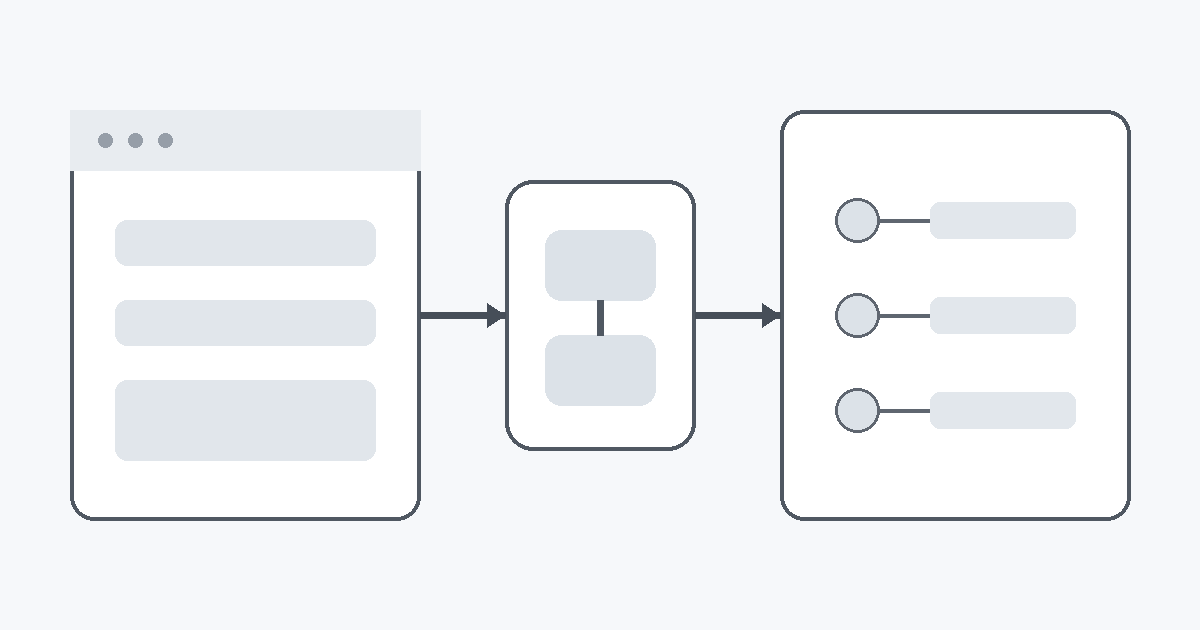
A SaaS product can be valuable and still be a poor automation target. The uncomfortable case is common: the product has a polished web interface, maybe even integrations with a few partners, but no stable public API that you can call from your own system.
At that point, the engineering question is not “How do I automate this anyway?” The better question is “Which integration boundary is stable enough to own?”
That distinction matters because an automation can look successful for weeks while quietly depending on brittle browser selectors, undocumented endpoints, session cookies, or manual approval steps. The cost arrives later, usually as silent failures, duplicated actions, account lockouts, or maintenance work that consumes more time than the automation saves.
This guide presents a practical decision framework for automating a SaaS product that does not expose a public API. The goal is not to force automation at any cost. The goal is to choose the safest integration level, make failure visible, and keep the design replaceable when the platform eventually changes.
Start by Classifying the Missing API Problem
“No public API” can mean several different things, and each version leads to a different engineering decision.
The first case is a product with no documented developer interface at all. Everything happens through the web or mobile UI. Here, you should assume that internal network calls are implementation details rather than a contract.
The second case is a product with an API that exists only for approved partners. This is materially different. The right first move is usually to ask whether your use case can qualify for access rather than reverse engineering the product.
The third case is a product that exposes import, export, webhook, email, RSS, file-drop, or integration features without calling them an API. These boundaries are often good enough for reliable automation even though they are narrower than a REST or GraphQL interface.
The fourth case is a product with a private endpoint that the browser calls directly. Technically, you may be able to observe the request and replay it. Operationally, that endpoint can change without notice, require short-lived session state, or violate assumptions that the product makes about interactive use.
Before writing code, document which case you are dealing with. A surprising amount of wasted automation work comes from treating all four cases as the same problem.
Prefer Supported Boundaries Before Browser Automation
The safest automation surface is not always a REST endpoint. A supported CSV import, email ingestion address, webhook callback, or cloud-storage sync can be more durable than an undocumented JSON endpoint.
A useful order of preference is:
- documented public API;
- documented partner API;
- first-party webhook or event subscription;
- supported import or export format;
- supported email or file ingestion;
- official integration through an automation platform;
- controlled browser automation;
- undocumented internal endpoint.
This ordering is not about technical elegance. It is about ownership.
If the vendor documents a boundary, it has at least some incentive to preserve it, version it, or communicate changes. If you depend on a button selector or private request shape, the vendor can change it during an ordinary UI release without considering your automation at all.
This is also why an API-first publishing flow is easier to operate than a browser-driven one. In a related RayLabs guide on automated content syndication with canonical SEO protection, the important property is not simply that HTTP is used. The important property is that the integration contract is explicit enough to validate inputs, enforce idempotency, and reason about the result.
Define the Automation Goal Before Choosing the Mechanism
Teams often start with a mechanism: “We can use Playwright.” That is backwards.
Start with the exact business or workflow outcome. For example:
- create one draft from an approved article;
- upload one attachment and capture its resulting URL;
- copy a publication status into an internal ledger;
- submit a form after a human approval;
- check whether a record has changed;
- export new records once per day.
Then separate the goal into three parts:
Trigger: What causes the automation to run?
Mutation: What state must change in the SaaS product?
Evidence: What proves that the change happened?
This structure exposes whether full browser automation is even necessary. You may discover that the trigger and evidence can be automated while the mutation stays manual. That hybrid design can still remove most repetitive work with far less risk.
For example, an automation could prepare a validated payload, open the correct page, and stop before the final submission. A human performs the irreversible action. The system then records the resulting URL or confirmation. That may be a better design than pretending the whole path is reliably machine-controlled.
Build an Integration Ladder, Not a Single Trick
When a public API is unavailable, design several progressively weaker integration modes instead of one fragile shortcut.
A practical integration ladder might look like this:
Mode A: official API
Mode B: official import or webhook
Mode C: assisted browser flow with human confirmation
Mode D: headless browser automation with strict verification
Mode E: manual fallback with generated payload
Each mode should produce the same normalized result inside your system. That internal result could be as small as:
{
  "status": "published",
  "external_id": "remote-123",
  "canonical_url": "https://example.com/article/remote-123",
  "verified_at": "2026-09-27T03:00:00Z"
}
The external mechanism can change, but downstream systems do not need to know whether the record came from an API response, a browser confirmation page, or a human-entered fallback.
This architecture prevents the SaaS product from leaking its quirks into your whole codebase. It also lets you upgrade cleanly if the vendor later releases an official API.
Treat Browser Automation as an Adapter
Browser automation is sometimes the only practical route. When that happens, treat it like a replaceable adapter, not the center of the system.
The adapter should receive a fully validated command. It should not decide what content to publish, how to transform the content, or whether the request is allowed. Those decisions should happen before the browser is opened.
A clean interface could look like:
type PublishCommand = {
  idempotencyKey: string
  title: string
  body: string
  canonicalUrl: string
}

type PublishResult = {
  externalId: string
  publicUrl: string
  observedState: "published" | "draft"
}
The browser adapter takes PublishCommand, performs the minimum required UI operations, and returns PublishResult.
Keeping the browser layer narrow gives you three benefits. First, selector changes are isolated to one module. Second, you can test content preparation without launching a browser. Third, a future official API adapter can implement the same interface.
The browser should be an implementation detail at the edge, not the place where your publishing policy lives.
Never Trust a Click as Proof of Success
One of the biggest mistakes in browser automation is treating a successful click as a successful business action.
A click only proves that the automation dispatched an input event. It does not prove that the server accepted the operation, that the new state persisted, or that the public page is reachable.
Verification should happen at a different boundary from mutation whenever possible.
For a publishing workflow, useful evidence can include:
- a resulting public URL;
- a stable external record ID;
- a visible status after a page reload;
- a server timestamp shown by the application;
- an email confirmation;
- a public page that returns the expected title;
- a subsequent export containing the new record.
If the only evidence is “the submit button disappeared,” the automation is too trusting.
This principle becomes even more important when the UI includes optimistic updates. The page can render a success state locally before the server has completed the write. A later reload may reveal that nothing persisted.
Design Idempotency Before the First Retry
A fragile integration becomes dangerous the moment you add retries.
Suppose a browser submits a new article, but the network connection drops before the confirmation page appears. Did the platform create the article or not? If your retry simply repeats the submission, you may create a duplicate.
The solution is to define an idempotency strategy before production use.
When the platform supports a unique external key, use it. When it does not, create your own correlation record containing enough information to detect an already-completed action. For example:
local_job_id: job_20260927_001
content_hash: 9c3...
target: external-publication
attempt: 1
result_url: null
state: uncertain
If an attempt ends in an uncertain state, do not immediately repeat the mutation. Run a reconciliation step first. Search for the expected title, slug, timestamp, or other stable marker. Only retry when you can establish that the first attempt did not complete.
This is the difference between a retry loop and a recovery protocol.
Separate Deterministic Failures from Transient Failures
Not every error deserves a retry.
A timeout, temporary 502 response, or page-load failure may be transient. A missing required field, changed selector, rejected account state, or invalid payload is deterministic until something changes.
Classify failures into at least three groups:
Transient: A later attempt may succeed without changing the request.
Deterministic: The request or adapter must be repaired first.
Uncertain: The mutation may have succeeded, but the result was not observed.
This classification prevents the worst kind of automation loop: repeatedly performing the same invalid or potentially duplicated action.
For browser flows, selector failures should usually be deterministic. Authentication expiration is often deterministic until credentials are refreshed. A navigation timeout can be transient. Losing the connection after clicking Publish is uncertain and requires reconciliation.
Your retry policy should follow the failure class, not a generic “try three times” rule.
Keep Authentication Outside the Workflow State
When there is no public API, automation often depends on an authenticated browser session. That creates a temptation to store cookies, tokens, or local storage snapshots directly with job state.
Avoid that design.
Workflow state should reference an authentication profile, not contain the credentials themselves. The execution environment resolves that profile at runtime from a secure secret store or controlled browser profile.
This separation matters for security and operations. Jobs can be logged, replayed, inspected, or moved between workers without copying sensitive session data into every record.
It also gives you a clean failure mode. If authentication expires, mark the adapter unavailable and stop mutations until the session is restored. Do not let a worker repeatedly hammer the login flow or accidentally trigger account protection systems.
Add a Manual Fallback Before You Need It
A reliable automation includes a manual path by design.
That may sound like admitting defeat, but it is the opposite. A manual fallback keeps the business process available while the integration is broken.
The fallback should reuse as much automated preparation as possible. If the normal flow generates a title, body, images, tags, canonical URL, and validation report, the fallback should package those same artifacts into a copy-ready form for a human operator.
The human should not need to recreate the payload from scratch.
A good fallback also records what happened:
job_id: job_20260927_001
execution_mode: manual_fallback
operator: approved-user
completed_at: 2026-09-27T04:15:00Z
external_url: https://example.com/article/remote-123
That means downstream systems remain consistent even when the external action was completed manually.
Manual fallback is not a separate workflow. It is another adapter for the same command and result contract.
Know When Not to Automate
Some SaaS actions should stay manual unless the vendor provides a supported integration.
High-risk examples include irreversible financial actions, security-sensitive account changes, destructive bulk operations, actions that can lock or suspend an account, and workflows where the terms of service explicitly prohibit automation.
Even for low-risk tasks, automation may not be worth maintaining if the volume is tiny. Saving two minutes per month does not justify an integration that breaks every few UI releases.
A useful decision rule is to compare four costs:
- time currently spent on the manual task;
- frequency of the task;
- expected maintenance cost of the adapter;
- cost of one incorrect or duplicated action.
Browser automation makes sense when the repetitive value is high, the mutation is recoverable, verification is strong, and maintenance ownership is clear.
If those conditions are not true, assisted automation is often the better engineering choice.
A Practical Architecture for No-API Automation
A durable no-API integration can be organized into six layers.
1. Domain command
A normalized request such as PublishArticle, CreateRecord, or UploadAsset.
2. Preflight validator
Checks required fields, policy rules, duplication risk, payload size, and any local invariants before touching the external platform.
3. Adapter selection
Chooses official API, import, browser automation, or manual fallback based on what is currently available.
4. External mutation
Performs the smallest possible action against the SaaS product.
5. Independent verification
Reloads, queries, exports, or checks a public surface to prove the expected state exists.
6. Reconciliation ledger
Stores the command identity, attempt history, external identity, evidence, and final status.
The critical detail is that the external adapter owns only layer four. It does not own validation, retry policy, or the source of truth.
That design turns a fragile UI dependency into one replaceable edge component.
The Engineering Standard to Aim For
The absence of a public API does not automatically make automation impossible. It changes what good engineering looks like.
Good no-API automation is conservative. It knows exactly which boundary it depends on. It validates before mutation. It distinguishes deterministic errors from transient failures. It verifies outcomes independently. It has idempotency and reconciliation. It keeps credentials out of workflow state. It includes a manual fallback.
Most importantly, it is ready to be replaced.
The best result is not a clever script that can click through today’s UI. The best result is a system where today’s browser adapter can disappear tomorrow and the rest of the workflow barely notices.
That is the standard that keeps an unsupported integration from becoming permanent technical debt.
Continue Exploring
You Might Also Like
How to Publish an Obsidian Community Plugin in 2026
A practical release checklist for getting an Obsidian plugin from a working repository into the Community directory, including manifests, GitHub releases, automated review, and updates.

Android Paging 3 Failure Matrix
A comprehensive failure-first test matrix for Android Paging 3 screens, detailing refresh, append, offline recovery, empty results, and process death handling.

Audit macOS System Data Before Deleting Developer Caches
A comprehensive guide for developers on auditing macOS System Data and developer caches safely before deleting files.