Android Notification Opens vs App Opens: Measure the Entry Point
A practical Android analytics pattern for separating notification-driven sessions from ordinary app launches without double-counting engagement.
Table of Contents8 sections
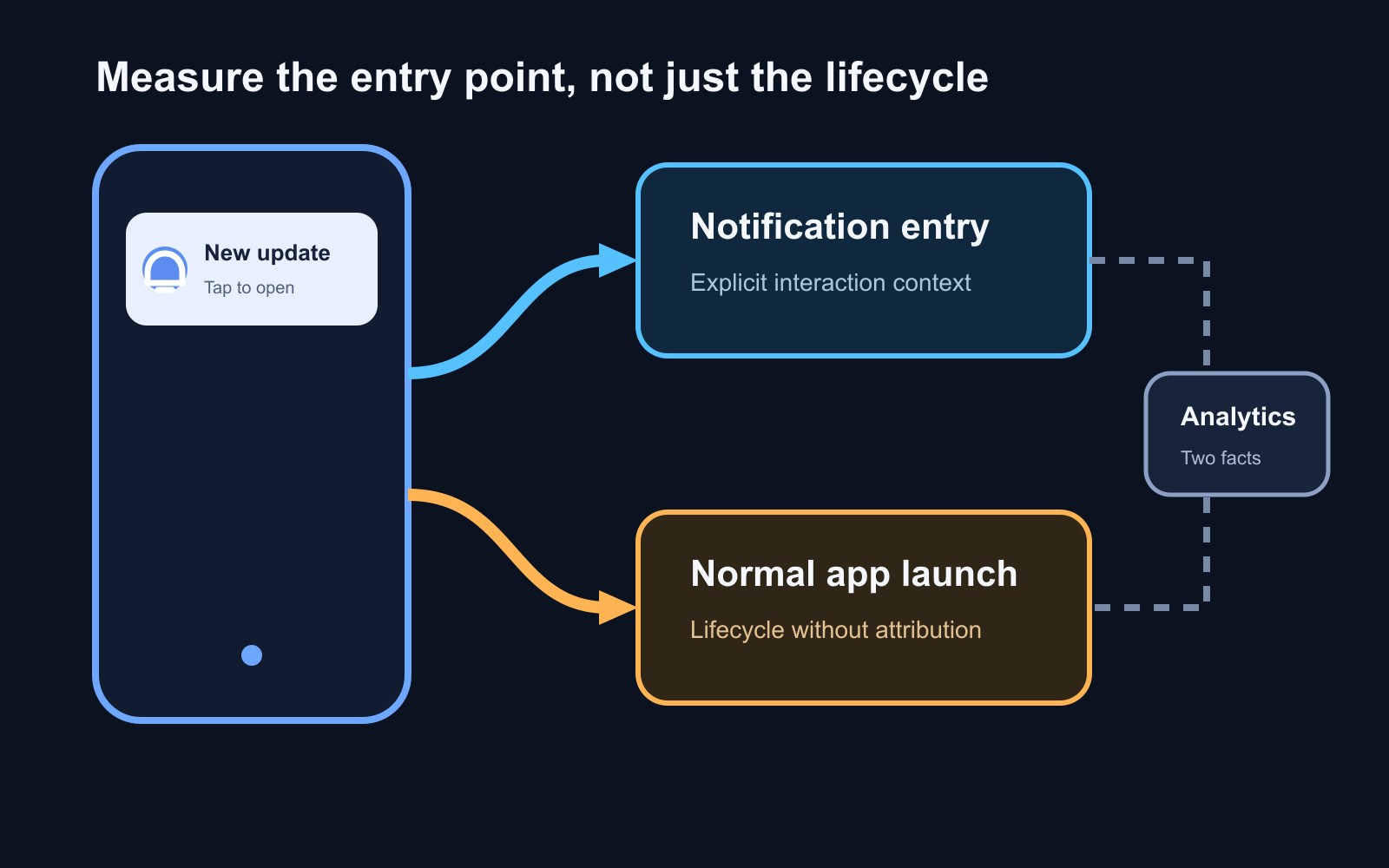
Notification vs App Open Golden Rules
- Never Treat Them as the Same Metric: An app open measures process/activity startup. A notification open measures deliberate user intent from a system tray tap.
- Clean Attribution Flag: Extract intent extras (e.g.
notification_campaign_id) in your entry Activity’sonCreate()oronNewIntent(). Lognotification_openonce, then immediately consume or clear the extra so background-to-foreground resumes do not double-count.- PendingIntent Mutability: Always use
PendingIntent.FLAG_UPDATE_CURRENT or PendingIntent.FLAG_IMMUTABLEwhen attaching campaign metadata to notification intents.
An app launch and a notification-driven launch can look identical once your first screen is visible. They are not the same product event.
If you record only a generic app-open signal, you can tell that the application became active, but you cannot reliably answer whether a push notification caused that session. If you record a second notification event carelessly, you can create the opposite problem and count one user action twice.
The practical pattern is simple: treat the app lifecycle and the entry point as two different pieces of information. Let lifecycle analytics answer whether the app became active. Let an explicit notification-interaction path answer why the user entered.
This distinction makes campaign measurement, deep-link debugging, and retention analysis much easier to reason about.
Start With the Event You Are Actually Trying to Measure
There are at least three different questions hidden inside the phrase “notification analytics”:
- Was a push message sent or delivered?
- Did the user tap the notification?
- Did the app become active afterward?
Those events happen at different layers and should not be collapsed into one metric.
Firebase Cloud Messaging supports notification messages, where the SDK and operating system can participate in displaying the notification, and data messages, where application code has more control over behavior. The Android setup documentation also notes that a FirebaseMessagingService is needed when you want message handling beyond ordinary background notification receipt, including foreground handling and data payloads.
That means the first architecture decision is not which chart to build. It is who owns each event.
A useful mental model is:
message sent
    |
    v
message received or displayed
    |
    +---- user ignores it
    |
    +---- user taps it
              |
              v
       notification entry point
              |
              v
          app becomes active
The tap and the app activation are related, but they are not interchangeable.
Do Not Infer a Notification Tap From onResume
A tempting implementation is to put analytics in Activity.onResume() and assume that an app resuming after a push must have been opened from that push.
That breaks immediately.
onResume() can happen after a normal launcher start, returning from another activity, a configuration-related transition, or bringing an existing task back to the foreground. The lifecycle callback knows that the activity is active. It does not inherently know the user’s entry point.
Instead, preserve explicit notification context through the intent or navigation input that opens the destination.
For an application that owns its notification creation, that can look conceptually like this:
val intent = Intent(context, MainActivity::class.java).apply {
    putExtra("entry_point", "notification")
    putExtra("campaign_id", campaignId)
    putExtra("content_id", contentId)
}
Then the receiving layer can distinguish a notification entry from a normal launcher entry without guessing from lifecycle timing.
The exact keys are less important than the contract. The launch path should carry enough stable context to identify the interaction, but it should not contain secrets or unnecessary personal data.
Keep Lifecycle Measurement Separate From Attribution
Suppose your analytics stack already records an app-open or session-start signal. Keep it.
Add a notification interaction event only when you have positive evidence that the user entered through a notification. For example:
fun trackEntry(intent: Intent?) {
    if (intent?.getStringExtra("entry_point") != "notification") return

    analytics.logEvent("notification_open") {
        param("campaign_id", intent.getStringExtra("campaign_id") ?: "unknown")
        param("content_id", intent.getStringExtra("content_id") ?: "unknown")
    }
}
Now the two metrics answer different questions:
| Signal | Question it answers |
|---|---|
| App/session open | Did the application become active? |
notification_open |
Did this entry originate from a notification interaction? |
| Campaign/content parameters | Which notification caused the interaction? |
This is more useful than trying to replace app-open measurement with notification-open measurement. A notification-driven session can legitimately contribute to both metrics because the metrics describe different facts.
The mistake is not recording both. The mistake is interpreting both as two independent sessions.
Make the Notification Interaction Idempotent
Android can deliver a new intent to an existing activity depending on your task and launch-mode configuration. Process death and navigation restoration can also make simplistic “log when screen appears” logic unreliable.
Treat the interaction as a consumable event.
A practical design gives every notification interaction a stable identifier, then ensures that the same interaction is not logged repeatedly during recomposition, activity recreation, or navigation replay.
For example:
data class NotificationEntry(
    val interactionId: String,
    val campaignId: String?,
    val contentId: String?,
)
Your activity or navigation boundary parses the intent once, passes the typed entry object into the application layer, and marks the interaction as consumed after analytics and navigation have accepted it.
Do not put this logic directly inside a composable simply because the destination is written in Jetpack Compose. Recomposition is a UI mechanism, not an analytics ownership boundary.
The same idempotency principle matters when debugging duplicate FCM notifications. Notification display ownership and notification interaction ownership should both have one clearly defined path.
Background, Foreground, and Cold Start Need the Same Contract
The hardest bugs usually appear because developers implement one path for a cold start and another for an already-running app.
Design the entry contract first, then map every lifecycle state into it.
For a cold start, the launch intent can be parsed before initial navigation. For an existing task, handle the new intent and route it through the same parser. For a foreground message where your application creates its own notification, build the same interaction metadata into the resulting pending intent.
The goal is that downstream analytics does not care whether the process existed five seconds ago. It receives one normalized NotificationEntry or it receives no notification entry at all.
That reduces lifecycle-specific branching and makes the behavior testable.
Test the Matrix, Not Just One Happy Path
Notification attribution should be verified across a small state matrix:
| Initial state | Action | Expected result |
|---|---|---|
| App terminated | Tap notification | One notification interaction, app becomes active |
| App backgrounded | Tap notification | One notification interaction, existing task resumes |
| App foreground | Receive message | No notification-open event until an actual notification interaction occurs |
| App terminated | Tap launcher icon | App becomes active, no notification interaction |
| Existing task | Tap same notification again | No duplicate interaction if the identifier was already consumed |
Also verify deep-link routing separately from analytics. A successful navigation does not prove that attribution was logged correctly, and a logged analytics event does not prove that the user landed on the intended screen.
Measure Cause Without Polluting the Lifecycle
Push analytics becomes much easier once you stop asking the application lifecycle to explain user intent.
Let FCM and your notification layer describe message and interaction context. Let the lifecycle describe application state. Normalize the notification entry at one boundary, make it idempotent, and attach only the campaign metadata you actually need.
Then your dashboard can answer a useful question: not merely “how many times did the app open?” but “which opens were actually caused by a notification, and what did users do next?”
Continue Exploring
You Might Also Like

Android elapsedRealtime and Monotonic Deadlines
Learn how to use Android elapsedRealtime and Kotlin cancellation to reject late coroutine responses during startup health checks, preventing stale data from overwriting UI state.

CameraX ZXing YUV rowStride pixelStride crop QR scanner
Learn how row stride, pixel stride, crop bounds, and rotation interact when feeding CameraX YUV frames into ZXing, and ensure proper proxy lifecycle management.

Fix Firebase Variant CI Configuration
Learn how the Google Services Gradle plugin matches build variants to configuration files, where variant-specific JSON files live, and how to verify that your CI pipeline exercises the intended Firebase project.