Gemini app rolls out very slick camera redesign on Android
Google is rolling out a redesigned in-app camera interface for Gemini on Android starting with version 17.76, bringing a bottom-sheet layout and smoother visual transitions.
Table of Contents4 sections
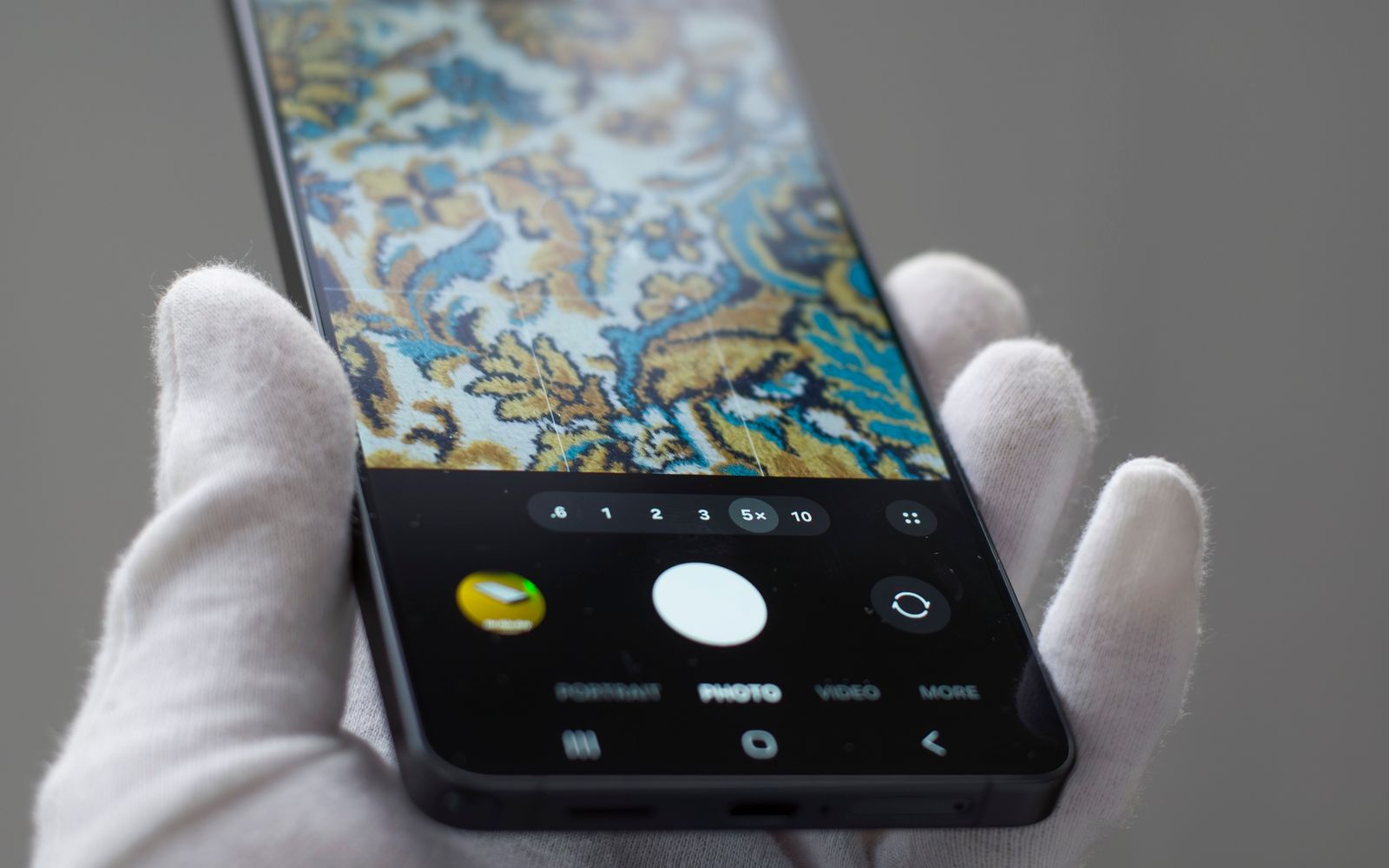
On November 21, 2026, 9to5Google reported that Google has officially rolled out a redesigned in-app camera interface for the Gemini application on Android. This update is designed to make it faster and easier for users to capture and add images directly to their text prompts. Rather than forcing a generic fullscreen viewfinder, the updated camera now launches as an interactive bottom sheet directly from the plus menu on the main Gemini homepage or from within an active conversation thread. This change represents a shift in how the application handles multimodal input, prioritizing a more fluid, non-intrusive interaction model for mobile users.
Overview of the Bottom Sheet Camera Layout
The most prominent change in this release is the shift to a bottom-sheet architectural pattern. Users can initiate the camera interface and drag it upward with a smooth animation, causing the viewfinder to extend nearly edge-to-edge behind the standard system navigation bar. This approach keeps the rest of the application context partially visible and maintains a fluid transition between browsing chat history and capturing reference photos. According to the reported details, this interface update is deploying widely across both beta and stable Android channels starting with version 17.76 and newer builds. The design choice to use a bottom sheet rather than a full-screen takeover suggests an effort to maintain user orientation within the chat interface, allowing for a more seamless transition between text-based prompting and visual data acquisition.
Practical Consequences and Ecosystem Integration
For mobile users, this redesigned workflow removes friction when multimodal prompts require immediate visual context. The streamlined launcher reduces the number of taps needed to transition from a text prompt to a live camera feed. In addition to interface updates, Google has continued expanding mobile automation features, which aligns with recent efforts seen when Google Expands Gemini Tasks for Automated Actions to streamline user workflows. These sequential improvements indicate an ongoing architectural focus on making mobile interactions faster and less cumbersome across various device configurations. Furthermore, the update coincides with the introduction of a new GIF creation feature, which is powered by the Gemini Omni 1.2 Flash video model. This allows users to generate custom animations directly from prompts, further expanding the utility of the Gemini mobile interface beyond simple static image capture.
Scope, Unknowns, and Technical Limitations
While the rollout is active across version 17.76+ channels, exact device-specific performance metrics, memory overhead, and complete regional rollout timelines remain unquantified by the publisher. RayLabs analysis notes that while the visual presentation is significantly polished, deeper hardware-level integrations or latency benchmarks for image processing have not been publicly detailed. Developers and power users should verify whether their specific device build has received the version 17.76 update through official app store distribution channels before expecting the bottom-sheet layout. Because the rollout is occurring in stages across both beta and stable channels, users who do not see the change immediately may need to wait for a broader server-side update or a subsequent app store release. The reliance on the Gemini Omni 1.2 Flash model for related features like GIF creation also implies that some advanced capabilities may be gated by account-level access or specific regional availability, which remains an area for further observation as the update reaches a wider global user base.
Continue Exploring
You Might Also Like
Signal Blocks Screenshots to Prevent AI Agent Access
Signal has updated its mobile applications to enable screenshot blocking by default, a strategic move to prevent AI agents from scraping private chat content.
Google Retiring Nest App and Assistant in 2027
Google has announced the scheduled retirement of the legacy Nest application and Google Assistant on smart speakers and displays, detailing a transition to Gemini for Home.

Google Assistant Shutdown on Smart Speakers Set for 2027
Google has announced a transition from Google Assistant to Gemini for Home on smart speakers and displays, scheduled for August 2027, alongside a broader sunsetting of the legacy Nest app.