Jetpack Compose Previews: Make Every UI State Reviewable
Build deterministic Jetpack Compose previews for loading, content, empty, error, themes, and screen sizes without depending on live app state.
Table of Contents12 sections
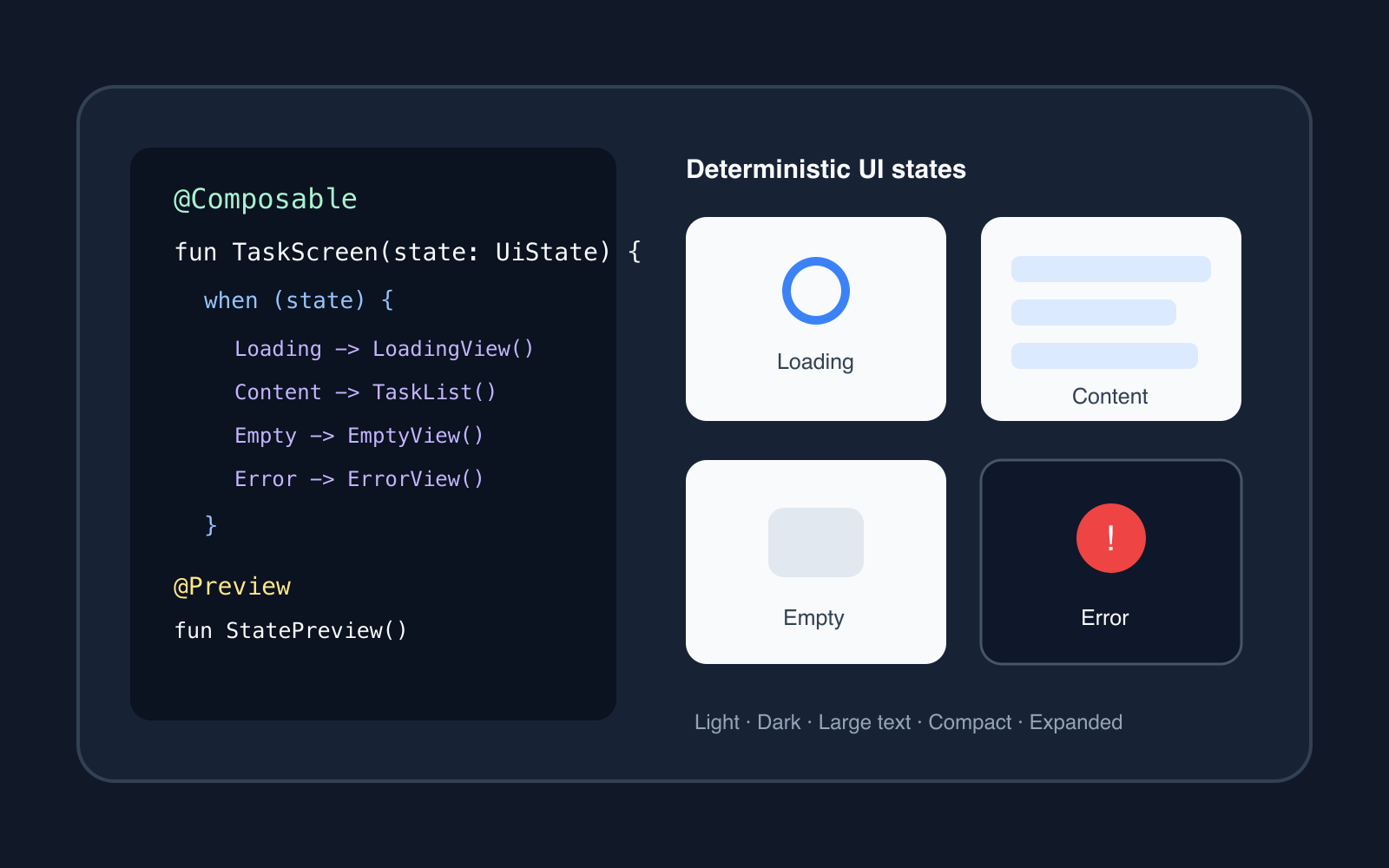
A Compose preview becomes genuinely useful when it can answer a review question without launching the app.
Can the empty state fit on a small phone? Does an error message wrap correctly? Does dark theme expose a contrast problem? What happens when a list has real-looking content instead of one placeholder row?
The reliable pattern is to make the screen render from explicit UI state, then feed deterministic sample states into previews. The preview should not need a repository, network request, database, navigation graph, or production ViewModel to show meaningful UI.
That turns previews from decorative screenshots into a fast design and engineering feedback loop.
Start with a renderable screen contract
A screen is easiest to preview when the composable that renders it accepts state and callbacks directly.
sealed interface TaskUiState {
    data object Loading : TaskUiState
    data object Empty : TaskUiState
    data class Content(val tasks: List<TaskItem>) : TaskUiState
    data class Error(val message: String) : TaskUiState
}

@Composable
fun TaskScreen(
    state: TaskUiState,
    onRetry: () -> Unit,
    onTaskClick: (Long) -> Unit
) {
    when (state) {
        TaskUiState.Loading -> LoadingContent()
        TaskUiState.Empty -> EmptyContent()
        is TaskUiState.Content -> TaskList(
            tasks = state.tasks,
            onTaskClick = onTaskClick
        )
        is TaskUiState.Error -> ErrorContent(
            message = state.message,
            onRetry = onRetry
        )
    }
}
Keep the route-level composable separate:
@Composable
fun TaskRoute(viewModel: TaskViewModel) {
    val state by viewModel.uiState.collectAsStateWithLifecycle()

    TaskScreen(
        state = state,
        onRetry = viewModel::retry,
        onTaskClick = viewModel::openTask
    )
}
The route owns runtime wiring. TaskScreen owns rendering. That boundary makes previews cheap because the renderer does not care where the state came from.
The same separation improves bulk workflows too. In Bulk Edit in Android: A Safer Jetpack Compose Pattern, selection and draft state stay explicit instead of being hidden inside persistence code. Previewability benefits from the same discipline.
Preview states, not happy paths
A single preview with perfect content has limited value. Production screens usually have several meaningful states:
- loading
- populated content
- empty content
- recoverable error
- unusually long text
- disabled or saving actions
- dark theme
- compact and expanded layouts
Make those states first-class sample data.
object TaskPreviewData {
    val content = TaskUiState.Content(
        tasks = listOf(
            TaskItem(1, "Prepare release notes"),
            TaskItem(2, "Review analytics event names"),
            TaskItem(3, "Verify offline retry behavior")
        )
    )

    val longContent = TaskUiState.Content(
        tasks = listOf(
            TaskItem(
                4,
                "A deliberately long task title that tests wrapping and row height"
            )
        )
    )
}
Do not reuse production fixtures that change over time. Preview inputs should be small, local, readable, and deterministic.
Use PreviewParameterProvider for data variations
Android’s Compose preview tooling supports @PreviewParameter, backed by PreviewParameterProvider, to render the same preview with multiple sample values.
class TaskStateProvider : PreviewParameterProvider<TaskUiState> {
    override val values = sequenceOf(
        TaskUiState.Loading,
        TaskPreviewData.content,
        TaskUiState.Empty,
        TaskUiState.Error("Could not load tasks")
    )
}

@Preview(showBackground = true)
@Composable
private fun TaskScreenPreview(
    @PreviewParameter(TaskStateProvider::class) state: TaskUiState
) {
    AppTheme {
        TaskScreen(
            state = state,
            onRetry = {},
            onTaskClick = {}
        )
    }
}
This keeps one rendering entry point while making state coverage visible. The official Compose preview documentation describes preview parameters and providers as a way to supply sample data and render a preview for each value.
A provider is most useful for data states. Device configuration is a different axis.
Use multipreviews for configuration coverage
Repeating @Preview annotations everywhere gets noisy. A custom multipreview annotation can describe a small configuration matrix once.
@Preview(name = "Light", showBackground = true)
@Preview(
    name = "Dark",
    showBackground = true,
    uiMode = Configuration.UI_MODE_NIGHT_YES
)
@Preview(
    name = "Large Font",
    showBackground = true,
    fontScale = 1.5f
)
annotation class ThemePreviews
Then reuse it:
@ThemePreviews
@Composable
private fun TaskContentPreview() {
    AppTheme {
        TaskScreen(
            state = TaskPreviewData.content,
            onRetry = {},
            onTaskClick = {}
        )
    }
}
Keep the matrix intentional. Rendering every state across every device, locale, theme, and font scale quickly becomes noise. Choose combinations that expose a real product risk.
A practical split is:
| Preview axis | Good candidates |
|---|---|
| UI state | loading, content, empty, error |
| Theme | light, dark |
| Typography | default, larger accessibility scale |
| Window | compact phone, wider layout |
| Locale | one long-text locale when localization matters |
The goal is confidence, not the largest preview grid.
Keep runtime dependencies outside the renderer
Preview failures often reveal that a UI function depends on more runtime infrastructure than expected.
A renderer should not need to start a network request just to draw a card. It should not require a database to show an empty state. It should not construct a production dependency graph to display a button.
Prefer this dependency direction:
Repository / network / database
            |
        ViewModel
            |
        UiState
            |
     Screen renderer
            |
      Compose Preview
The preview enters at UiState, not at the repository.
This also prevents a dangerous workaround: adding preview-specific branches throughout business logic.
Use LocalInspectionMode narrowly
There are legitimate cases where a composable reaches something the preview environment cannot provide. Android exposes LocalInspectionMode.current so code can detect that it is being rendered inside an inspectable preview.
For example, a remote image surface may use a deterministic placeholder:
@Composable
fun ProfileImage(url: String) {
    if (LocalInspectionMode.current) {
        PreviewAvatarPlaceholder()
    } else {
        RemoteProfileImage(url)
    }
}
The official preview tooling guide specifically documents this technique for replacing unavailable runtime behavior with preview-safe content.
Use it at infrastructure edges, not as a general escape hatch.
If half the screen is wrapped in if (LocalInspectionMode.current), the architecture is probably hiding dependencies that should be separated instead.
Preview the failure state before production finds it
Error UI is often implemented late because it is inconvenient to reproduce manually.
With state-driven previews, it is as cheap as content:
@Preview(showBackground = true)
@Composable
private fun ErrorPreview() {
    AppTheme {
        TaskScreen(
            state = TaskUiState.Error(
                "We could not sync your tasks. Check your connection and try again."
            ),
            onRetry = {},
            onTaskClick = {}
        )
    }
}
Now review details that are easy to miss on a happy path:
- Does the message wrap without pushing the action off-screen?
- Is Retry clearly actionable?
- Does the layout still work at a larger font scale?
- Is the error distinguishable without relying only on color?
- Does dark theme preserve hierarchy?
Android Studio’s Compose tooling also includes UI Check for accessibility and adaptive-layout inspection across configurations, as described in the official Compose tooling overview.
Make previews useful in code review
A useful preview has a stable purpose and a descriptive name. Avoid dozens of anonymous functions called Preview1, Preview2, and TestPreview.
Names such as these communicate intent:
TaskScreenLoadingPreview
TaskScreenEmptyPreview
TaskScreenLongContentPreview
TaskScreenErrorLargeFontPreview
Reviewers can then map a visual state to a product condition.
For reusable design-system components, preview the component boundary. For a screen, preview the screen renderer. Avoid previewing an entire navigation graph merely because that is the easiest entry point in the running app.
Know when to graduate to screenshot tests
Manual previews improve development speed, but they do not automatically fail a build when a visual changes.
When a UI state becomes important enough to protect, promote the deterministic preview into screenshot testing.
Android’s current Compose Preview Screenshot Testing documentation supports using composable previews as screenshot-test inputs, generating reference images, and comparing future renders against those references.
There is an important freshness caveat: the tooling remains experimental, and Android currently recommends the newer AGP test-suite configuration for recent plugin versions. Treat exact setup instructions as version-sensitive even though the architectural idea is stable.
A sensible progression is:
explicit UiState
      |
deterministic preview
      |
human visual review
      |
important stable state
      |
screenshot regression test
Do not turn every experimental layout into a golden image. Protect states where an unnoticed visual regression has meaningful cost.
Common preview anti-patterns
Constructing the real ViewModel
A preview that instantiates the production ViewModel often drags repositories, dispatchers, saved state, and dependency injection into what should be a rendering check.
Preview the renderer instead.
Fetching live sample data
Live sample data makes previews slow and non-deterministic. It can also expose private or environment-specific information.
Use local sample values.
One giant preview function
A preview that manually toggles five booleans to reach different states becomes hard to understand. Model states explicitly and render them independently.
Preview-only production behavior
Do not change business decisions because code is running in preview. Limit inspection-mode substitutions to visual infrastructure that cannot operate in the preview environment.
Covering only the polished state
The empty, error, long-text, and loading states are often where layout bugs live. If a screen has those states in production, they deserve representation before release.
A practical preview checklist
Before calling a Compose screen reviewable, ask:
- Can its renderer accept explicit state without constructing a production
ViewModel? - Are loading, content, empty, and error states easy to render?
- Are sample values deterministic and free of private information?
- Is at least one long-text case represented?
- Are light and dark themes covered where relevant?
- Is a larger font scale represented for text-heavy UI?
- Are compact or wider layouts checked when the screen is adaptive?
- Is
LocalInspectionModelimited to infrastructure edges? - Can important previews later become screenshot tests without redesigning the screen?
If those answers are yes, previews become more than an IDE convenience. They become a lightweight contract for what the UI is expected to handle.
The core idea is simple: make application state explicit enough that the UI can be rendered without the application running.
Once that boundary exists, Compose Preview becomes faster, more deterministic, and much more useful during everyday review.
Continue Exploring
You Might Also Like

Android elapsedRealtime and Monotonic Deadlines
Learn how to use Android elapsedRealtime and Kotlin cancellation to reject late coroutine responses during startup health checks, preventing stale data from overwriting UI state.

CameraX ZXing YUV rowStride pixelStride crop QR scanner
Learn how row stride, pixel stride, crop bounds, and rotation interact when feeding CameraX YUV frames into ZXing, and ensure proper proxy lifecycle management.

Fix Firebase Variant CI Configuration
Learn how the Google Services Gradle plugin matches build variants to configuration files, where variant-specific JSON files live, and how to verify that your CI pipeline exercises the intended Firebase project.