Fix pnpm Migration Phantom Dependency Errors
Learn how to diagnose and resolve ERR_MODULE_NOT_FOUND phantom dependency failures when transitioning from flat npm hoisting to strict pnpm in CI/CD pipelines.
Table of Contents5 sections
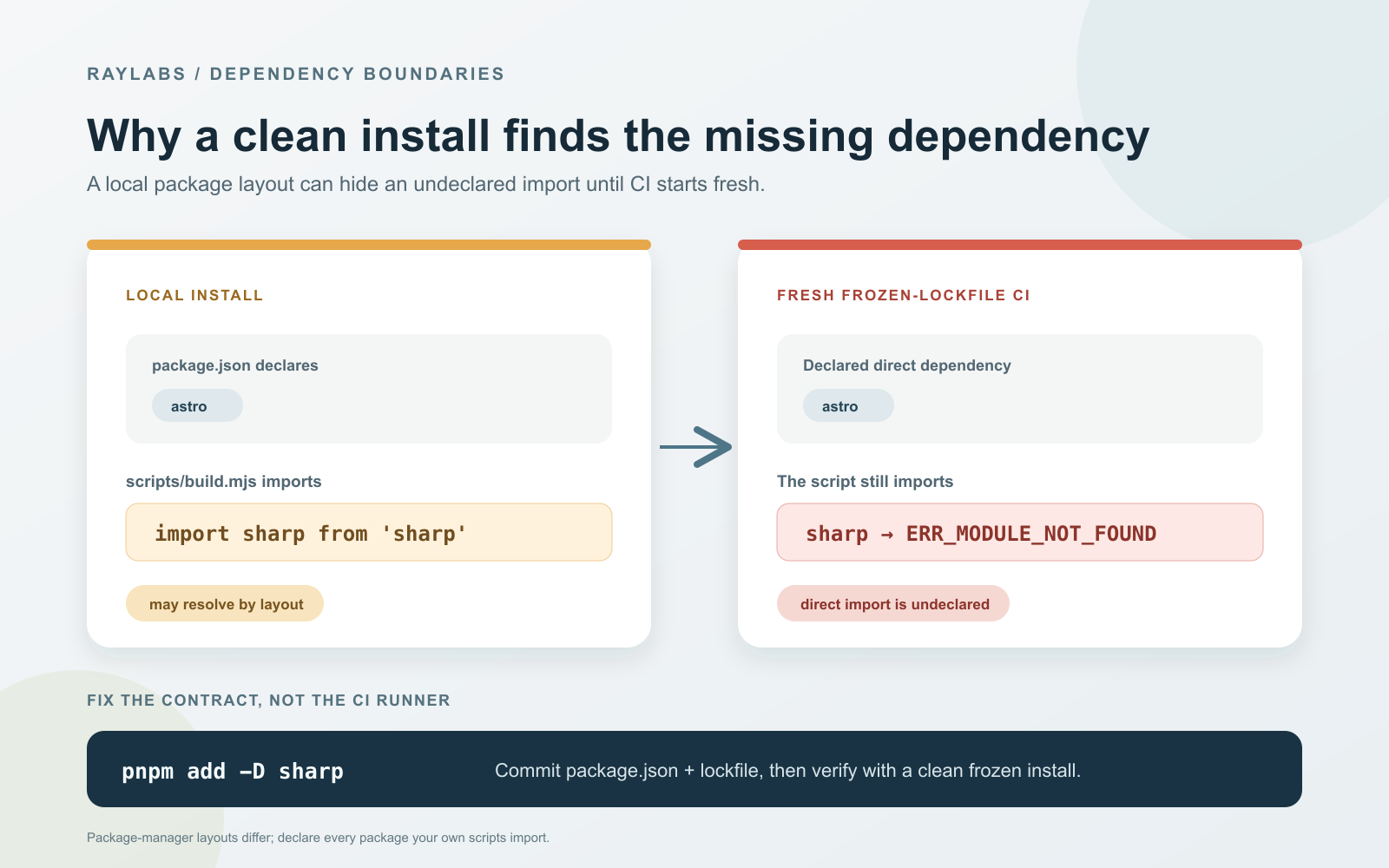
Migrating a Node.js project from package managers that use hoisted node_modules structures to strict content-addressable package managers often exposes hidden import assumptions that break continuous integration runners.
Quick solution:
pnpm add sharp
When a Node script fails with Error [ERR_MODULE_NOT_FOUND] for a package like sharp imported from scripts/medium-package.mjs after a clean continuous integration install, add the missing package to your manifest using pnpm add sharp for runtime dependencies or pnpm add -D sharp for build tools. Prerequisites include running a clean environment with a lockfile and running pnpm install --frozen-lockfile to ensure accurate dependency trees after committing updates.
Diagnosing Module Resolution Versus Build Failures
Traditional package managers often rely on node_modules layouts where dependencies of dependencies are hoisted to the root directory, allowing scripts or build tools to import packages without explicitly declaring them in the project manifest. When transitioning to pnpm, its strict symlinked and isolated structure removes this hoisting behavior. Undeclared imports that worked locally due to cached modules or ambient hoisting suddenly fail in clean continuous integration environments.
Symptom to Resolution Guide
| Option | When to Use It | Trade-off or Failure Mode | Recommendation |
|---|---|---|---|
pnpm add <package> |
Runtime dependency is missing from the manifest | Increases direct dependency count | Explicitly declare all runtime packages in dependencies |
pnpm add -D <package> |
Build or script tool is missing from the manifest | Might bloat devDependencies if misused | Use for local build scripts and automation tasks |
| Frozen Lockfile Update | Pipeline throws lockfile mismatch errors | Requires committing workspace changes | Always commit lockfile updates before pushing to remote CI |
Auditing and Fixing Missing Direct Imports
To prevent continuous integration failures, audit all custom scripts, build hooks, and automation tools located in directories like scripts or tools. Ensure every package imported via ES module syntax or CommonJS require statements is explicitly listed under dependencies or devDependencies in your project configuration file.
{
  "devDependencies": {
    "sharp": "*"
  }
}
After declaring the missing dependencies, update and commit the correct workspace lockfile, rerun a clean frozen install in a fresh checkout or clean workspace, and then rerun the exact failing script to verify that module resolution succeeds without relying on residual global state.
Verification and Execution Steps
- Run
pnpm install --frozen-lockfilein a fresh checkout or clean workspace to simulate a clean installation and verify that the expected result is a successfully generated dependency tree without unexpected lockfile modifications. - Locate the specific importing workspace or package manifest and verify that any required module is explicitly declared under dependencies or devDependencies.
- Execute the exact failing script locally using
node scripts/medium-package.mjsto confirm that the previous module resolution error no longer occurs. - Review continuous integration pipeline logs after pushing your updated lockfile and manifest changes to ensure artifact generation completes successfully.
Continue Exploring
You Might Also Like

Preventing ReDoS in Frontmatter Parsers
Learn how to avoid regular expression denial of service vulnerabilities in lightweight Markdown frontmatter parsers by replacing complex regex with bounded line scans.

Nightly Analyst Digest from Slot Activity Logs
Learn how to build a reliable scheduled digest email for high-frequency serverless cron systems, featuring local-timezone logging, fallback raw-stats reporting, and advisory-only recommendations.

Fixing SonarCloud Quality Gate Rating E to A in Production
A practical guide to diagnosing, remediating, and maintaining a zero-defect SonarCloud Quality Gate Rating A across static web applications and frontend architectures without sacrificing developer velocity.