Build a Secure Iframe Widget for Other Websites
Learn how to build and securely embed an interactive iframe widget on third-party websites by enforcing least-privilege sandboxing, validating postMessage payloads, and configuring strict CSP policies.
Table of Contents9 sections
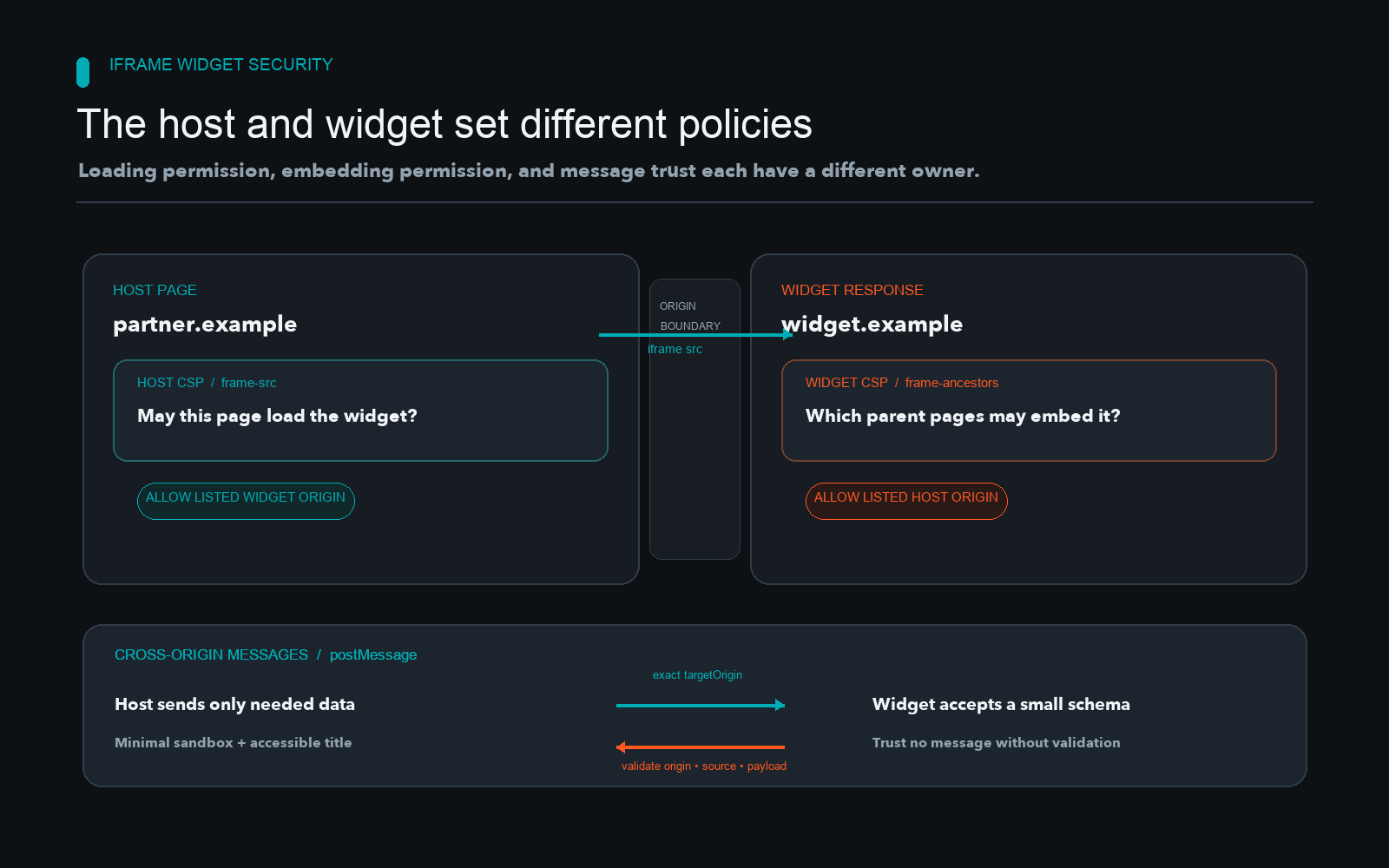
Embedding an interactive widget on third-party websites exposes both the host page and the widget server to cross-origin risks if permissions, message validation, and response headers are misconfigured.
Quick solution:
<iframe
  src="https://widget.example.com/embed?id=123"
  title="Interactive calculator widget"
  sandbox="allow-scripts allow-same-origin"
  loading="lazy"
  width="100%"
  height="400"
  style="border:0;"
>
</iframe>
This minimal markup loads an external widget inside a restricted sandbox. However, a raw iframe snippet lacks message verification, fine-grained origin locking, and robust styling adaptation. Building a dependable embeddable widget requires establishing a strict trust boundary on both the host page and the widget server, ensuring that neither context can compromise the other or manipulate parent elements without authorization.
Understanding the Trust Boundary and Responsibilities
Cross-origin integration involves two separate actors, each with distinct security responsibilities. The widget owner controls the embedded document, its HTTP response headers, its internal script logic, and the exact messages it sends or accepts. The host site controls where frames are allowed to load through its own Content Security Policy, the attributes applied to the iframe element, and the placement of the widget in the document object model. Cross-origin communication is an explicit protocol, not a general permission to read or manipulate either document freely. When you design a widget, you must assume the host page could be malicious or compromised, and conversely, the host page must assume the widget could attempt unauthorized data exfiltration or document manipulation.
Building a robust embed requires looking closely at how browsers isolate frames. For instance, without appropriate attributes, an unconstrained iframe inherits powerful execution privileges from its parent context. This is dangerous when the widget content incorporates user-generated inputs or pulls data from untrusted backend services. By defining explicit boundaries early in the architecture phase, you prevent unauthorized script execution and unexpected document access before writing complex application logic. Establishing these rules upfront protects both your brand reputation and your users against session hijacking, data leakage, and unexpected cross-site scripting vulnerabilities.
In a multi-tenant widget architecture, a single backend service often powers thousands of disparate client websites, ranging from high-traffic enterprise portals to unvetted personal blogs. If a tenant on subdomain A manages to inject malicious payloads into a shared data store, those payloads might execute within the widget iframe when loaded by visitors on subdomain B. Mitigating this risk requires tenant-level isolation, strict parameterization of configuration IDs, and runtime assertions that verify whether the requesting host URL matches the allowed domain list registered in the widget database. Failing to isolate tenants at the database and application layers exposes every downstream customer to cross-site scripting propagation originating from a single compromised partner account.
Configuring Least-Privilege Sandbox Attributes
The iframe sandbox attribute restricts what the embedded document can do. When the sandbox attribute is present, it applies a set of extra restrictions to the iframe content, disabling scripts, forms, popups, and origin access by default. Reviewing how browsers handle each flag helps clarify why selective enablement matters. For developer documentation on element attributes, consult the official MDN iframe element documentation.
Consider what happens when you omit or include specific permissions:
- Omission of
sandbox: If you omit the attribute entirely, the iframe inherits the full privileges of its embedding context unless limited by other headers, which is dangerous if the widget serves user-generated or untrusted content. - Adding
allow-scripts: Required if your widget runs JavaScript to handle interactivity or API calls. Without it, scripts are blocked. - Adding
allow-same-origin: Treats the response as coming from its own origin rather than an opaque, unique origin.
Security warning: Combining allow-scripts and allow-same-origin on a widget whose domain is controlled by untrusted third parties allows the embedded document to remove its own sandbox by altering the parent reference or manipulating the document. Use these permissions only when your widget requires script execution and resource sharing with its own origin. Evaluating sandbox configurations correctly ensures that you grant only the bare minimum capabilities needed for the widget to render and function, reducing the attack surface significantly.
When testing sandbox flags in staging environments, developers frequently encounter unexpected blocking failures. For instance, if your widget utilizes local storage or indexed database caching to persist user preferences across sessions, omitting allow-same-origin forces the browser into an opaque origin mode where storage APIs throw immediate security exceptions. Conversely, adding allow-top-navigation allows the embedded widget to redirect the entire parent window to an external phishing URL, which is a critical failure mode if untrusted user content can trigger navigation actions. Audit every flag against your functional requirements and document the rationale for each enabled permission in your deployment checklist.
Enforcing Embedding Policies on Both Sides
Securing an embed requires coordinating policies on the host server and the widget server. They serve two entirely different security checks that prevent malicious framing and clickjacking attacks across domains.
The host site uses frame-src within its Content Security Policy to declare which domains it trusts to load inside frames on its pages. Conversely, the widget response server uses the frame-ancestors directive to specify which domains are permitted to embed the widget. Unlike older X-Frame-Options headers, frame-ancestors can specify multiple allowed domains and protects against clickjacking effectively. Note that frame-ancestors must be delivered via an HTTP response header; it has no effect inside an HTML meta element and does not fall back to default-src. For technical specifics on framing policies, see the MDN Content-Security-Policy frame-ancestors documentation.
Example widget response header:
Content-Security-Policy: default-src 'self'; frame-ancestors https://trusted-host.com https://another-host.org;
If an unauthorized site attempts to embed the widget, the browser blocks the response, preventing clickjacking and unauthorized usage. Coordinating these response headers ensures that even if a host page attempts to load your widget outside of approved channels, the browser enforces the restriction at the network layer before executing any payload.
In complex enterprise deployments, managing dynamic lists of customer domains for frame-ancestors introduces scaling challenges. Hardcoding every client domain into a static HTTP header is impractical for platforms with thousands of self-serve signups. Instead, backend applications must dynamically evaluate the incoming HTTP Referer or Origin header during the HTTP request lifecycle, query the tenant database to verify authorization, and emit a tailored Content-Security-Policy header containing only the verified parent domain. Edge proxies and content delivery networks can be configured to cache these responses per tenant origin while ensuring that unauthorized domains receive immediate HTTP blocking responses.
Designing a Secure postMessage Protocol
When the host and widget need to exchange data, such as reporting dynamic height adjustments or passing state, they must use the window messaging API. Never rely on direct document manipulation across origins. On the widget side, send messages to an exact target origin rather than using a wildcard *.
// Inside the widget script
const hostOrigin = "https://trusted-host.com";
window.parent.postMessage({ type: "RESIZE_WIDGET", height: 450 }, hostOrigin);
On the host side, validate every incoming message rigorously before acting upon its content. You must check three distinct properties:
- Verify
event.originmatches your expected widget origin. - Verify
event.sourcematches the reference to the expected iframe content window. - Validate the shape, data types, and allowed values of
event.dataagainst a strict schema.
// Inside the host page script
window.addEventListener("message", (event) => {
  if (event.origin !== "https://widget.example.com") {
    return;
  }

  if (event.source !== myIframeElement.contentWindow) {
    return;
  }

  const payload = event.data;
  if (payload && payload.type === "RESIZE_WIDGET" && typeof payload.height === "number") {
    myIframeElement.style.height = `${payload.height}px`;
  }
});
For deep technical specifics on message dispatching, refer to the MDN window.postMessage documentation. Structuring message exchange around explicit origin checks and type validations prevents malicious injection vectors and unexpected script crashes.
Failure modes in messaging often stem from improper wildcard usage or missing source verification checks. If a widget broadcasts messages using * as the target origin, any malicious iframe hosted on an attacker-controlled site embedded in the same browser session can intercept sensitive data payloads, including authentication tokens or user analytics. Similarly, if the host page checks event.origin but forgets to verify event.source, an attacker can leverage secondary malicious frames loaded in unrelated tabs to spoof events that mimic legitimate widget communications. Defensive programming requires validating both origin and source object references on every incoming event listener execution.
Responsive Sizing, Lazy Loading, and Accessibility
Widgets frequently break layouts when embedded in narrow sidebars or responsive containers. Ensure your widget CSS uses fluid units and flexbox layouts rather than fixed pixel widths. Supporting varying viewport dimensions prevents host pages from suffering layout shifts or broken element flows.
For performance, avoid loading heavy third-party embeds immediately when the page starts parsing. Use native browser lazy loading by adding the loading="lazy" attribute to the iframe element, which defers loading until the frame approaches the viewport. For details on attribute behavior, see the MDN iframe loading documentation. Accessibility is another vital requirement. Always include a descriptive title attribute on the iframe element so screen readers can announce its purpose clearly to users navigating by landmarks. Ensure that keyboard focus transitions smoothly into and out of the iframe boundaries without trapping the user inside.
Balancing performance optimizations like lazy loading with accessibility requirements guarantees that your widget remains usable across varied devices, screen sizes, and assistive technologies without causing performance degradation on the host site. In responsive scaling scenarios, widgets that report height changes via postMessage can trigger infinite resize loops if the host container reacts to the height increase by expanding, which in turn causes the widget to recalculate and report an even larger measurement. To prevent this feedback loop, implement threshold checks in your resize handler, ensuring minor pixel fluctuations are ignored and maximum height boundaries are strictly enforced.
Link Attribution and Search Considerations
Widgets often include a subtle attribution link back to the provider website. When implementing attribution links, ensure they adhere to search engine guidelines. Google Search Central provides specific guidelines about widget links, warning against keyword-rich anchor text, hidden links, or low-quality automated link distribution embedded across third-party sites.
Treat attribution links as a transparent product choice rather than an search engine optimization tactic, and use clean, standard anchor text that reflects the brand name accurately. Maintaining clean attribution practices keeps your distribution channels clear of automated penalty risks while preserving honest branding across every host page.
Troubleshooting Integration Failures
When a widget fails to load or communicate, diagnose the browser console for specific security violations.
| Error or Symptom | Likely Cause | Resolution |
|---|---|---|
| Refused to display in a frame because it set ‘X-Frame-Options’ to ‘deny’. | The widget response header explicitly blocks framing. | Update the widget server response to use a permissive frame-ancestors Content Security Policy instead of restrictive X-Frame-Options. |
| Blocked a frame with origin because of its sandbox setting. | Missing required sandbox attributes like allow-scripts. |
Add only the necessary capabilities to the iframe sandbox attribute string. |
| Failed to execute ‘postMessage’ on ‘Window’: target origin provided does not match. | Mismatched target origin string in the message sender. | Ensure the exact protocol, domain, and port are specified in the postMessage target origin argument. |
| Message ignored due to untrusted origin check. | Host or widget failed strict origin validation. | Confirm that event.origin validation logic matches the exact expected messaging partner URL. |
Host-Page Smoke-Test Checklist
Use this verification checklist before releasing your embeddable widget to production:
- Verify allowed parent origins: Confirm that embedding the widget on an unauthorized test domain triggers a browser framing block.
- Verify host content security policy blocking: Ensure the host site’s
frame-srcpolicy permits loading the widget URL without console errors. - Verify sandbox capability failures: Test the widget with minimal sandbox flags to ensure core features fail gracefully if permissions are absent.
- Verify malformed message handling: Send unexpected payloads to the window messaging listener and confirm the receiver drops them safely without throwing uncaught exceptions.
- Verify resize behavior: Test the widget inside narrow mobile viewports and verify dynamic height messages adjust the iframe container correctly.
Continue Exploring
You Might Also Like
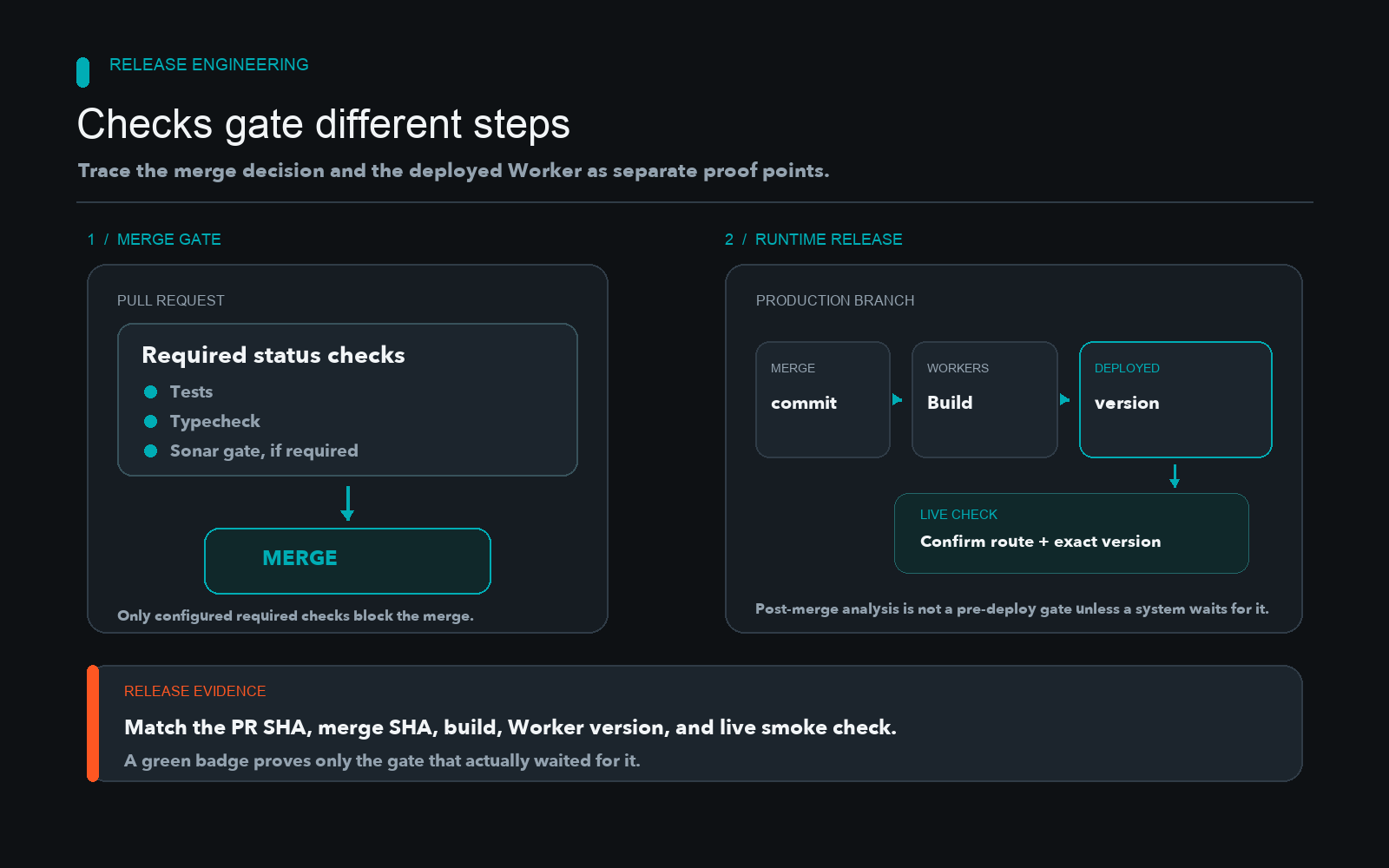
Gating Cloudflare Worker Deployments With CI
Learn how to separate CI validation from Cloudflare Worker deployments by enforcing branch protection, required status checks, and quality gates.

Debug HTTP 422 API Validation Errors Safely
Preserve structured field errors from HTTP 422 responses while bounding diagnostics, redacting credentials, and keeping provider payloads untrusted.
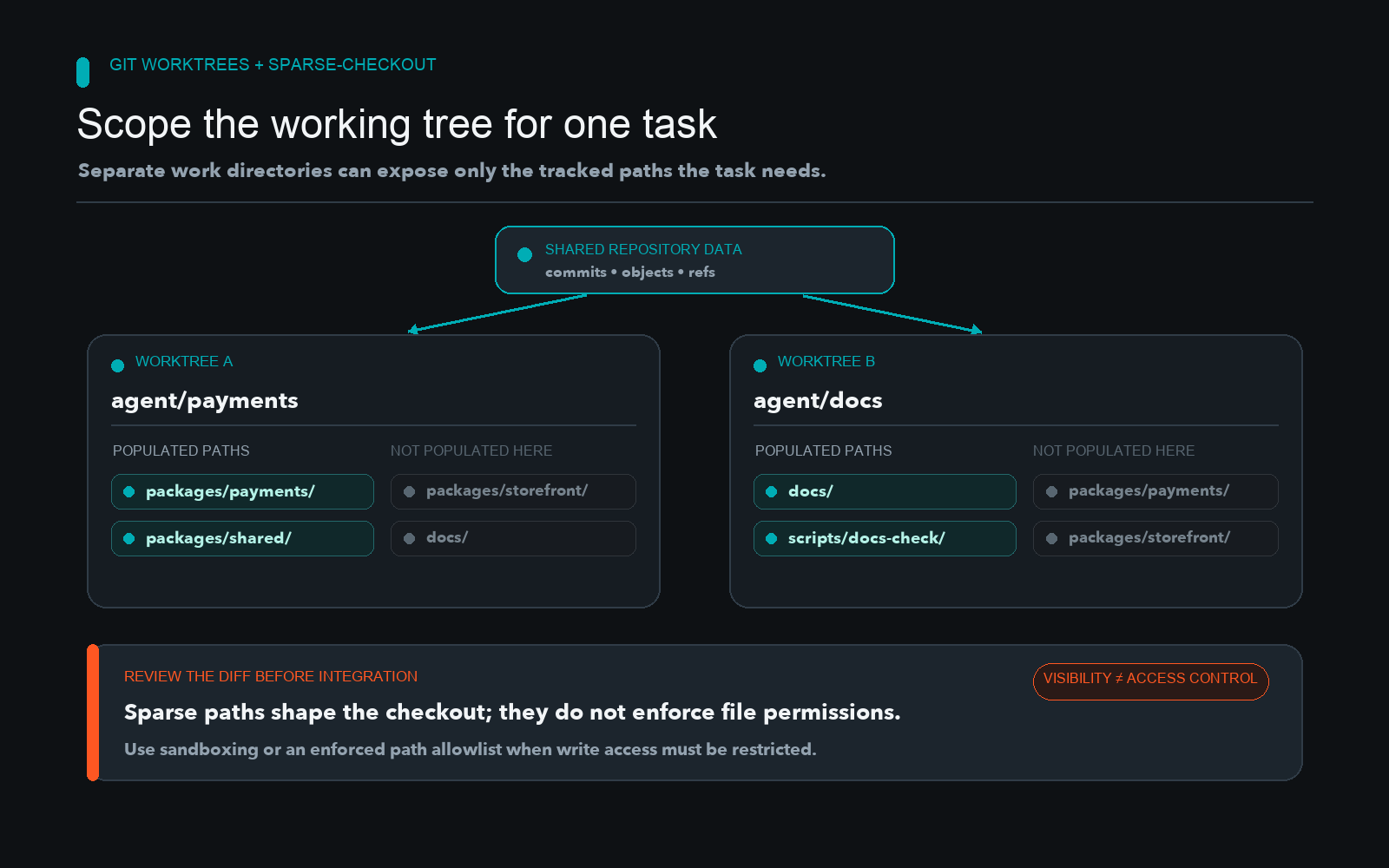
Use Git Sparse-Checkout to Scope Agent Worktrees
Learn how to limit the working-tree paths visible to a coding agent using Git worktrees and sparse-checkout, while keeping workspace visibility distinct from security enforcement.